

Setup Client OAuth Redirect URI
You must add your client application url in OAuth Redirect Uri under projects settings in dashboard. This is the uri where your success response will be appended as query params and you can parse this response in your client application.It is mandatory to add OAuth Redirect Uri for your social authentication method flow to work properly.
http://localhost:3000/dashboard as our client application url. You can add your client application url endpoint path where you want to receive your success response.
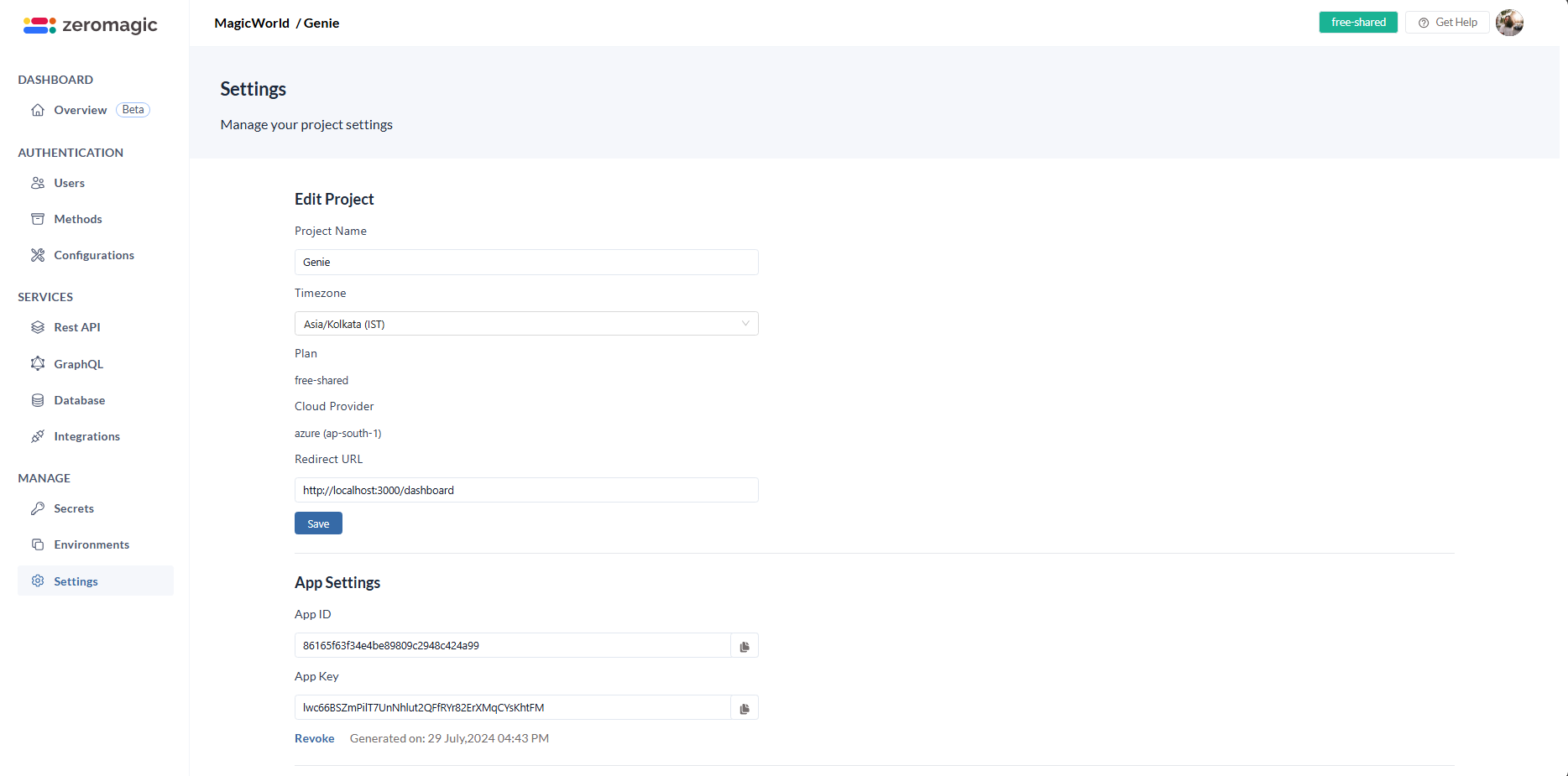
Note : The access_token and other user details will be appended as query params in your client application url. You can parse this response in your client application.
Create Social Connection
You can start creating connection within just few clicks. Follow the steps below steps to start creating a connection.Connection 1: Google Auth
-
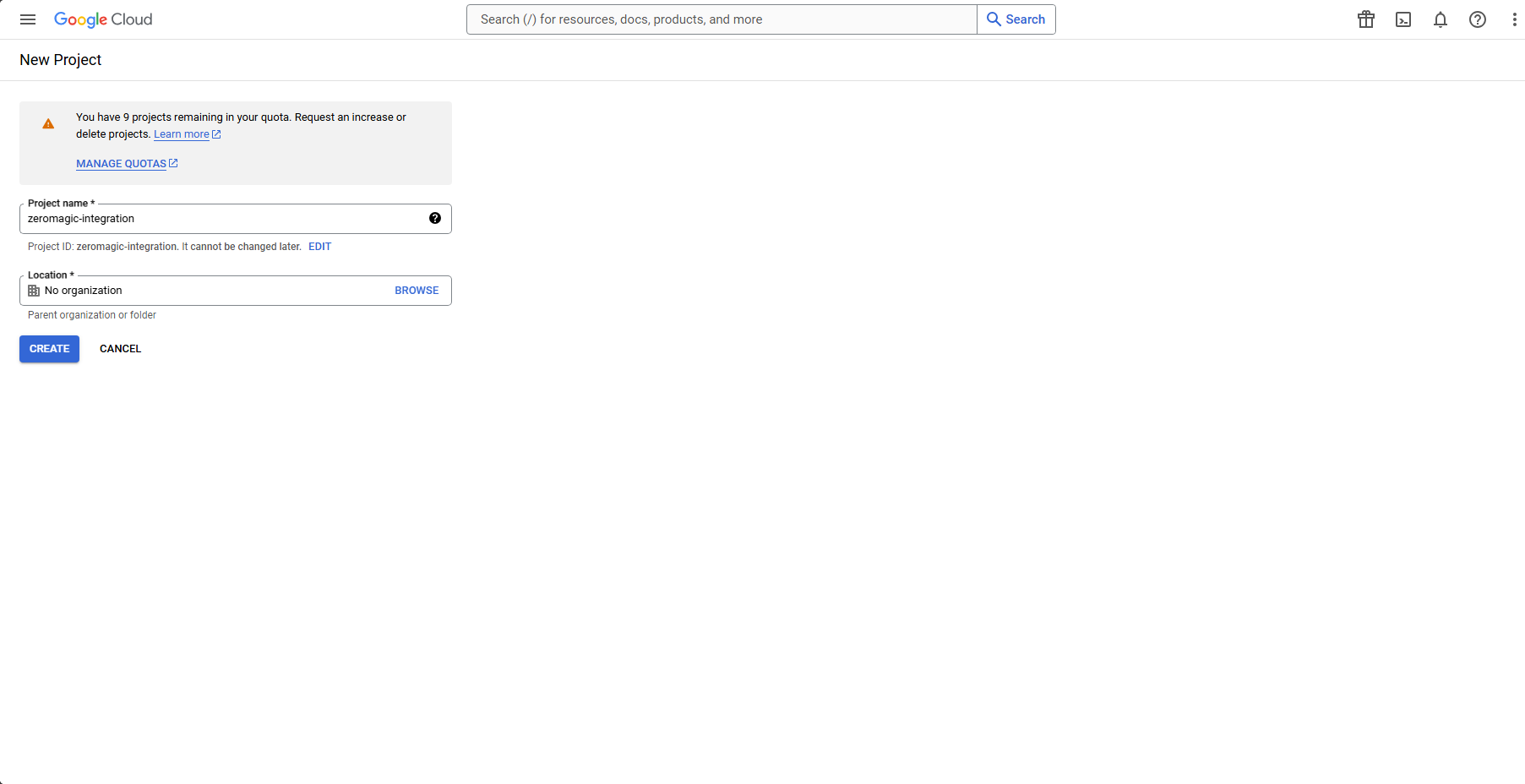
Go to the Google Developers Console and Create a new project.
-
Click on the project name and then select
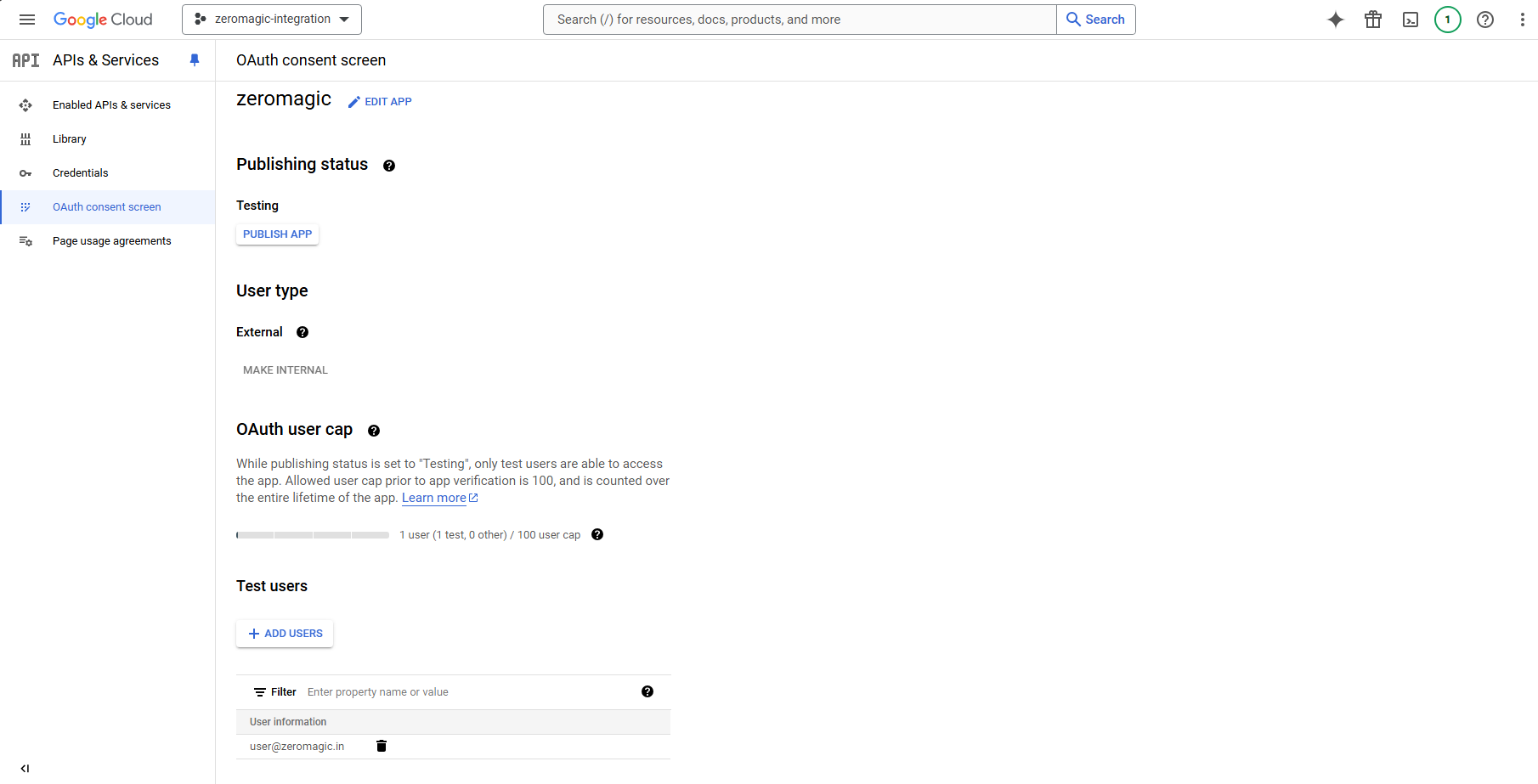
APIs & Serviceson your left sidebar tab. Click onOAuth consent screenand fill in the required details. IMPORTANTTest users: While your app is in development, you can add test users to your OAuth consent screen. These users will be able to sign in to your app with their Google accounts without needing to verify their identity. You can add test users by clicking on the
Add usersbutton in the OAuth consent screen configuration page.You will need to verify and move your app to production before it can be used by anyone other than the test users you have added.
-
Click on
Credentialson your left sidebar tab and then click onCreate Credentialsand selectOAuth client ID. SERVER CONFIGURATIONSApplication URL - http://localhost:3000
We are using
Oauth Callback or Authorized Redirect URI - https://authn.zeromagic.cloud/oauth/callback/http://localhost:3000as the frontend application URL in Authorized origins. You can replace it with your actual ReactJS application URL when rolling out to production. Example:https://your-reactjs-app.com -
Copy the
Client IDandClient Secretand we will use this to setup our authentication in the zeromagic platform. -
Add the
Googleauthentication connection under Methods. ClickAdd Connectionto create a new connection with theClient IDandClient Secretyou copied from the Google Developers Console.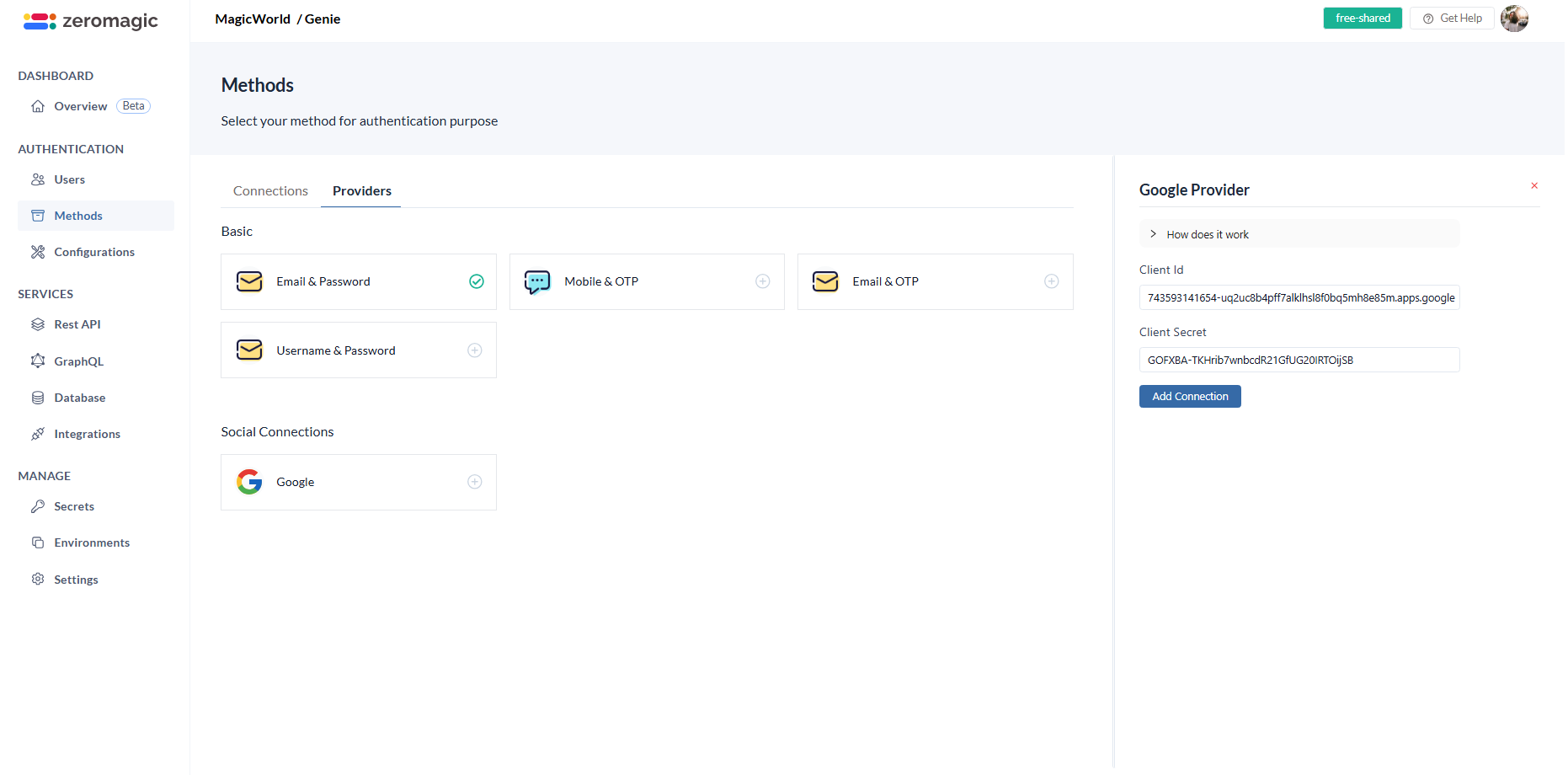
-
Now, go to
Environmentssections and select the environment you created. Copy theAuth Endpoint URLfrom the environment details. This is your authentication endpoint URL where you will be sending the APi requests. Your Auth endpoint URL looks similar to this: The oauth api endpath is /oauth and environment url http://authn.zeromagic.cloud/auth/86165f63f34e4be89809c2948c424a99/development/. So, the final URL will beOAuth Endpoint
Supported Social Providers
The list of supported social authentication methodsOauth Callback URL
Make sure to configure the below given call back URL in the third party serviceCallback url :
https://authn.zeromagic.cloud/oauth/callback/