

Create Secrets
- To create a new secret, head to the Secrets section in the project console.
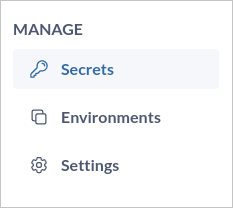
- Click
Create Secretand will launch a form to define your secret details. - Identify the environment where you want to store the secret. You might need to select a specific environment from a list or menu.
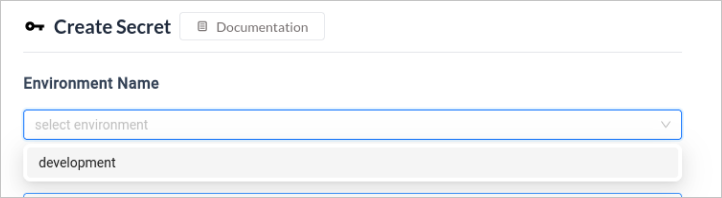
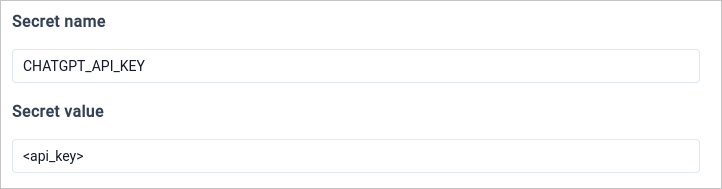
- Choose a “name” that clearly identifies the purpose of the secret.
- Input the “value” that the secret represents.
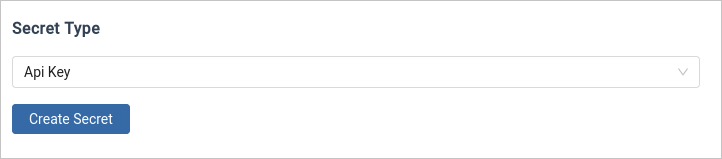
- Select the type of secret from the dropdown. You can check the available secret types here.
- Click on
Create Secretand your secret will be created.
Delete Secret
To permanently delete a secret, click the Delete button next to the key you want to remove. This action cannot be undone.
Available Secret Types
- Password : Passwords are used for user authentication purposes. They grant access to protected systems, databases, or applications.
- Token : Tokens are short-lived pieces of data used for authentication or authorization. They often act as temporary credentials for accessing resources.
- API Key : API keys are unique identifiers used to authenticate applications or users when interacting with APIs.
- Basic Auth : Basic authentication is a simple authorization scheme that transmits credentials (username and password) directly within the request header.