

An environment is required to deploy and execute your APIs. You can create multiple environments for a single project, where each environment can be executed independently with different performance associated with the tier plan.
Create Environment
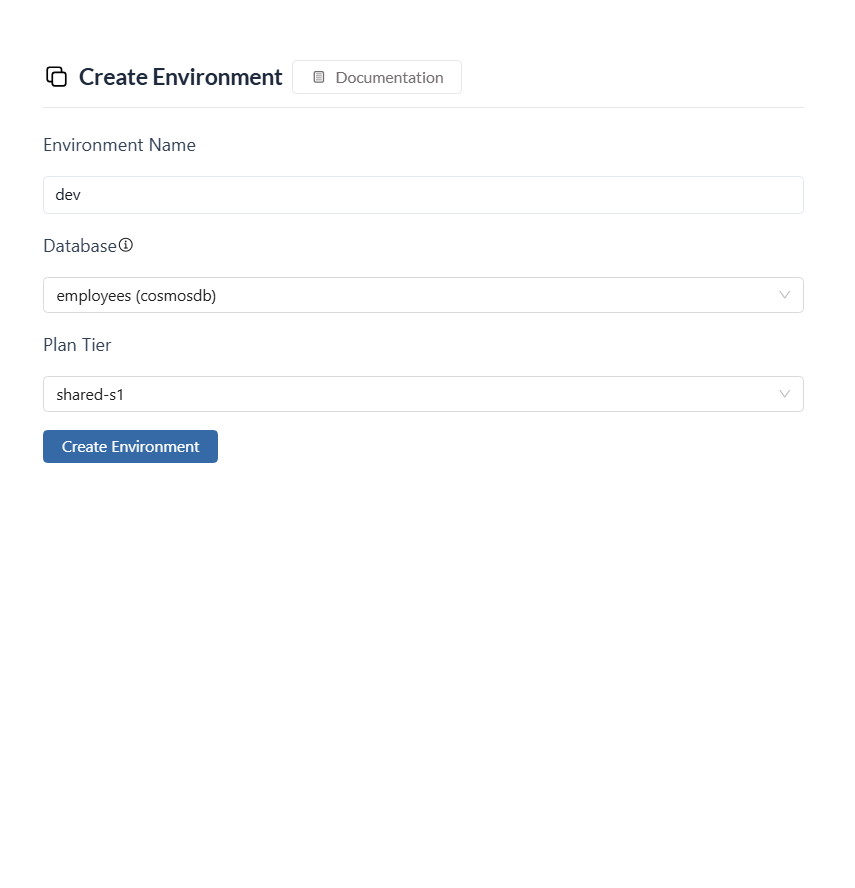
- To create a new environment, head to the Environments section in the project console.

-
Click
Create Environmentand will launch a form to define your environment details. - Choose a “name” that clearly identifies the purpose of the environment.
-
Select the specific
databaseyou want to connect to from the available dropdown menu. This database will be linked to this environment. -
By clicking on
Create Environmentwill set up your new environment, ready for deployment process.
Manage Environment
- Click on the specific environment you want to manage. This will open the environment’s settings page.
- Within the settings section, you can modify the
databaseconfiguration associated with this environment
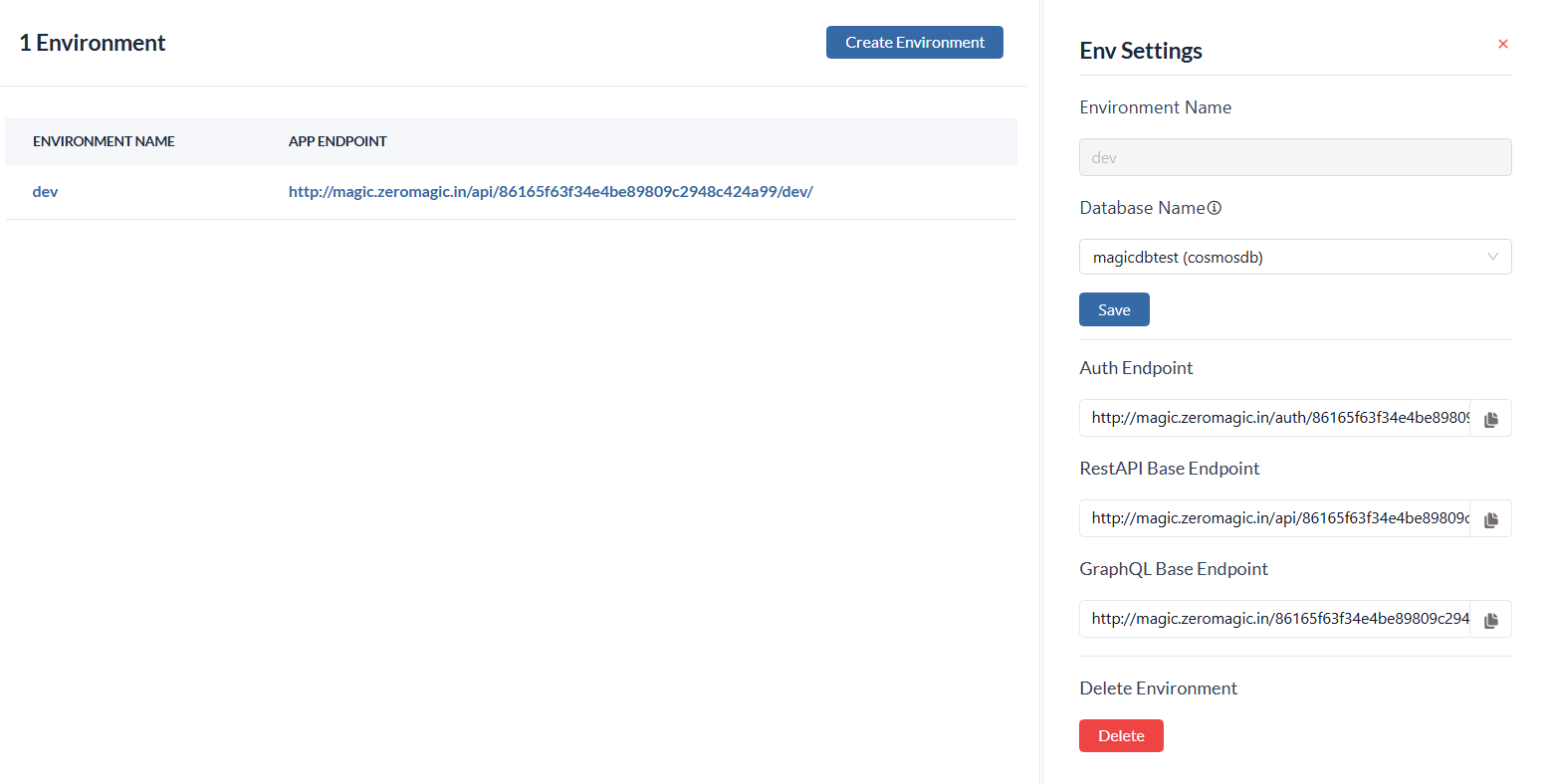
- To permanently delete a environment, click the Delete in the settings section.