

How it works?
1
Field Tracking
The AI Schema Builder analyses your database to identify and track all fields in all tables
2
Table Listing
After identifying the fields, it lists all tables with the relevant fields needed for your database operations
3
Automated Table Listing
With one click, all unlisted tables can be automatically listed, including each field, ensuring comprehensive database management
4
User-Friendly Interface
The tool provides an intuitive interface that simplifies database schema management, even for users with limited technical expertise
How to use?
-
Navigate to Data Connectors page. Select the
Databaseyou want to work on.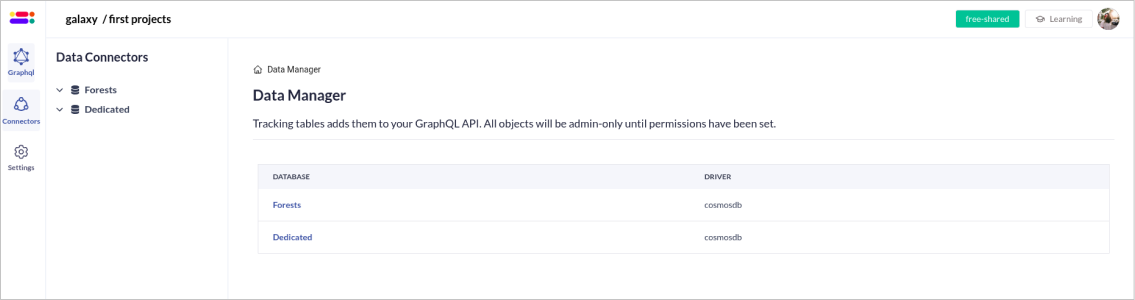
-
Click the
AI Schema Builderbutton located in the top right corner of the page
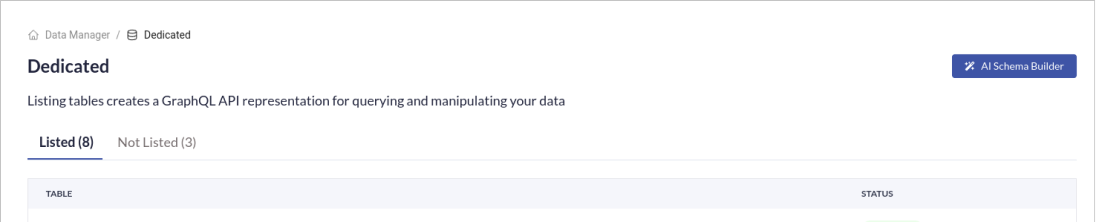
- The AI Schema Builder will start analysing all
Unlisted tablesin your database. Once the scan is complete, the AI Schema Builder will identify and list all relevant fields for eachUnlisted table. - The AI Schema Builder will automatically generate
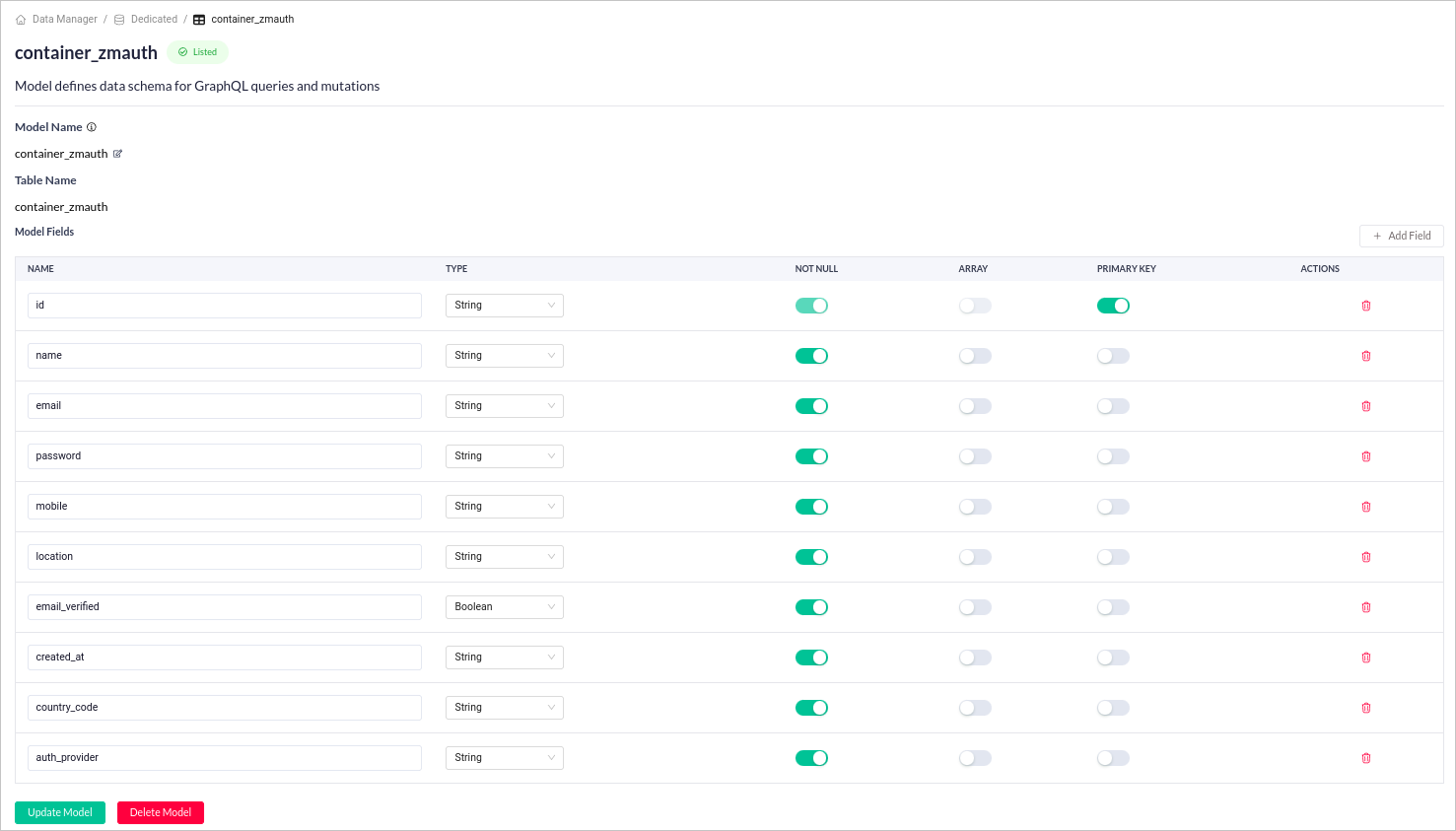
Logical Modelsfor all identified Unlisted tables. - The AI Schema Builder will generate the
Schemafor the unlisted tables and display them along with their relevant fields. - Once generated, you can edit the corresponding fields by clicking the specific table.
Benefits
- Save Time: Automating field detection and table selection significantly reduces the manual effort required for schema creation.
- Increase Efficiency: Streamline your workflow by automating a significant portion of the schema creation process.
- Simplicity: Simplifies database schema management with an easy-to-use interface and automated processes.
FAQs
Can the Magic AI Schema Builder handle complex database schemas?
Can the Magic AI Schema Builder handle complex database schemas?
Yes, the Magic AI Schema Builder is designed to handle complex database schemas with multiple tables and fields.