

Prerequisite You should have installed Node.js (version 18.10.0 or
higher).
mint.json) and run the following command:
http://localhost:3000.
Custom Ports
Mintlify uses port 3000 by default. You can use the--port flag to customize the port Mintlify runs on. For example, use this command to run in port 3333:
Mintlify Versions
Each CLI is linked to a specific version of Mintlify. Please update the CLI if your local website looks different than production.Deployment
You should see the following if the deploy successfully went through: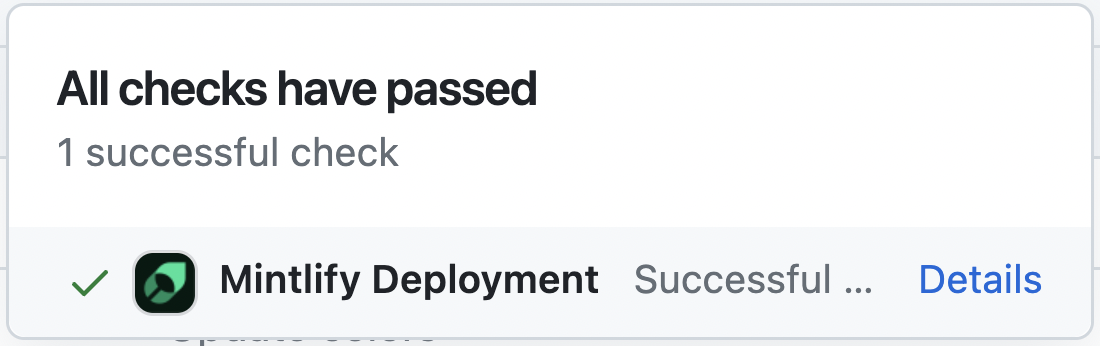
Troubleshooting
Here’s how to solve some common problems when working with the CLI.Mintlify is not loading
Mintlify is not loading
Update to Node v18. Run
mintlify install and try again.No such file or directory on Windows
No such file or directory on Windows
Go to the
C:/Users/Username/.mintlify/ directory and remove the mint
folder. Then Open the Git Bash in this location and run git clone https://github.com/mintlify/mint.git.Repeat step 3.Getting an unknown error
Getting an unknown error
Try navigating to the root of your device and delete the ~/.mintlify folder.
Then run
mintlify dev again.Setup your development
Learn how to update your docs locally and and deploy them to the public.Edit and preview
Clone your docs locally
Clone your docs locally
During the onboarding process, we created a repository on your Github with
your docs content. You can find this repository on our
dashboard. To clone the repository
locally, follow these
instructions
in your terminal.
Preview changes
Preview changes
Previewing helps you make sure your changes look as intended. We built a
command line interface to render these changes locally. 1. Install the
Mintlify CLI to preview the
documentation changes locally with this command:
npm i -g mintlify
2. Run the following command at the root of your documentation (where
mint.json is): mintlify devDeploy your changes
Install our Github app
Install our Github app
Our Github app automatically deploys your changes to your docs site, so you
don’t need to manage deployments yourself. You can find the link to install on
your dashboard. Once the bot has been
successfully installed, there should be a check mark next to the commit hash
of the repo.
Push your changes
Push your changes
Commit and push your changes to
Git
for your changes to update in your docs site. If you push and don’t see that
the Github app successfully deployed your changes, you can also manually
update your docs through our dashboard.
Update your docs
Add content directly in your files with MDX syntax and React components. You can use any of our components, or even build your own.Style Your Docs
Add flair to your docs with personalized branding.
Add API Endpoints
Implement your OpenAPI spec and enable API user interaction.
Integrate Analytics
Draw insights from user interactions with your documentation.
Host on a Custom Domain
Keep your docs on your own website’s subdomain.