Project Console. Now navigate to Modules in the sidebar of the console. Click on the necessary Module and navigate to the Flow Builder Page.
1. CreateOne
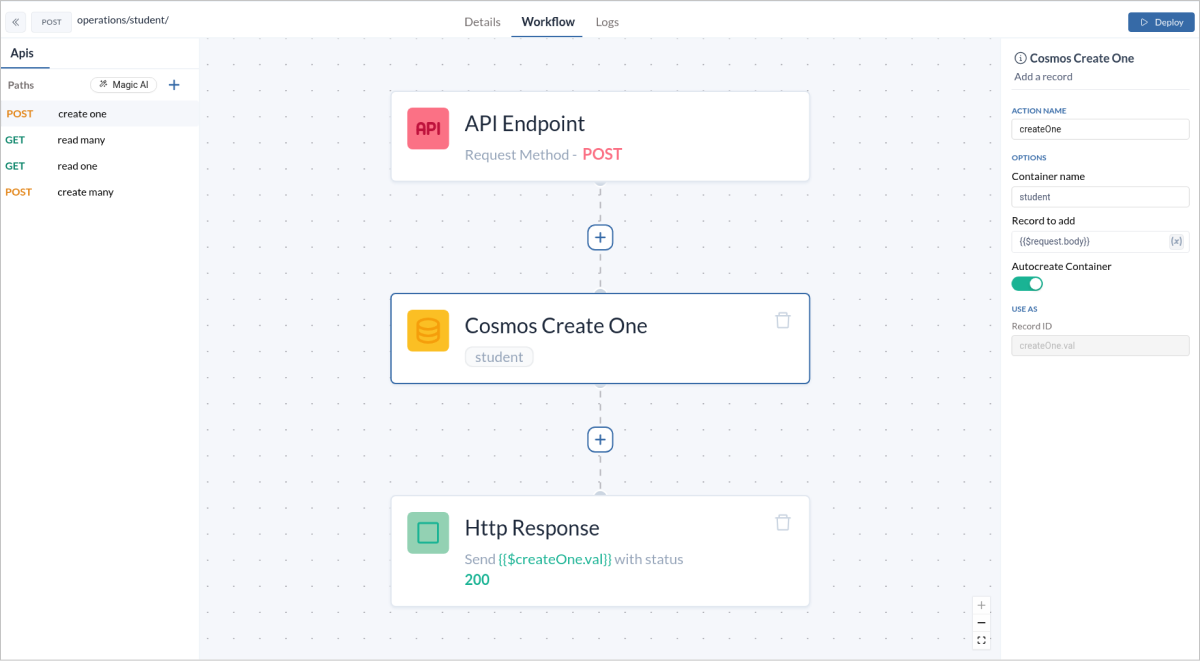
TheCreateOne operation allows you to insert a single document into your Cosmos DB container. This is useful when you need to add individual records to your database.
- Add a CreateOne block to your workflow. Set the
record to addfield to{{$request.body}}so as to specify the data that will be used to create the new record. - In the
Http Responseblock , set theResponse Variablefield to expression as{{$block-name.val}}.
API URL
Sample Data
Request Body Data
Response Data
2. CreateMany
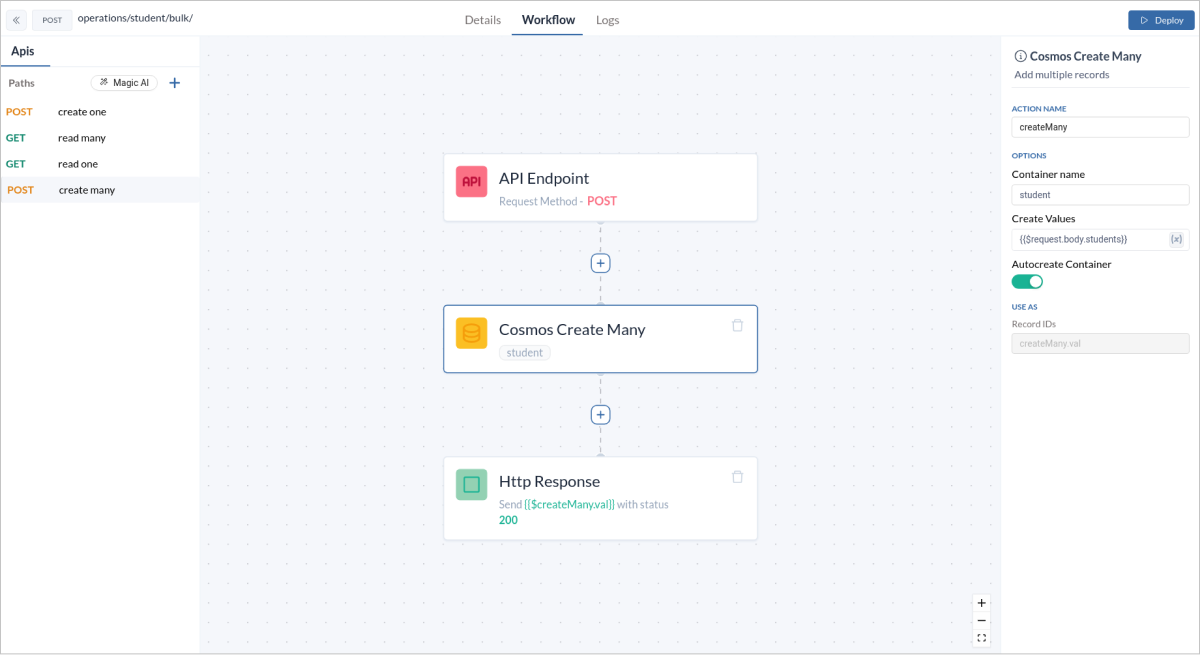
TheCreateMany operation enables you to insert multiple documents at once. This is ideal for batch operations where you need to add several records simultaneously.
- Add a CreateMany block to your workflow. Set the
Create Valuefield to{{$request.body.<key>}}so as to specify the data that will be used to create the new record. - In the
Http Responseblock , set theResponse Variablefield to expression as{{$block-name.val}}.
API URL
Sample Data
Request Body Data
Response Data
3. ReadOne
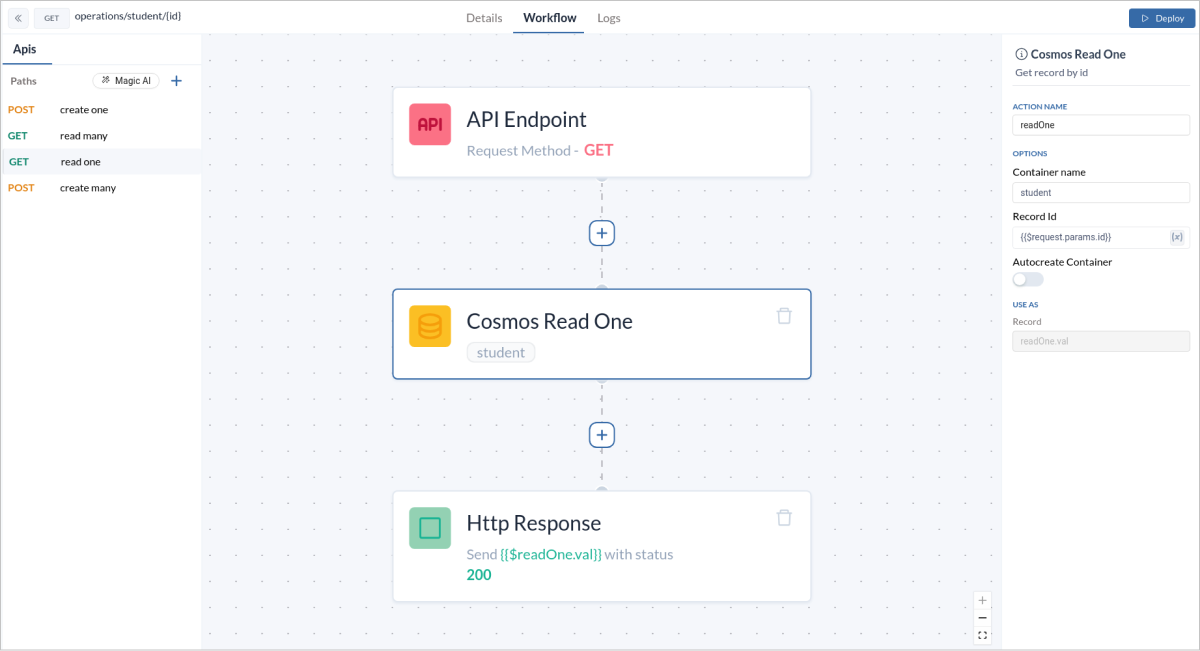
TheReadOne operation allows you to retrieve a single document based on its unique identifier. This is useful when you need to fetch specific records.
- Add a ReadOne block to your workflow. Set the
Record Idfield to{{$request.body.id}}so as to specify the data that will be used to create the new record. - In the
Http Responseblock , set theResponse Variablefield to expression as{{$block-name.val}}.
API URL
Sample Data
Request Data
Response Data
4. ReadMany
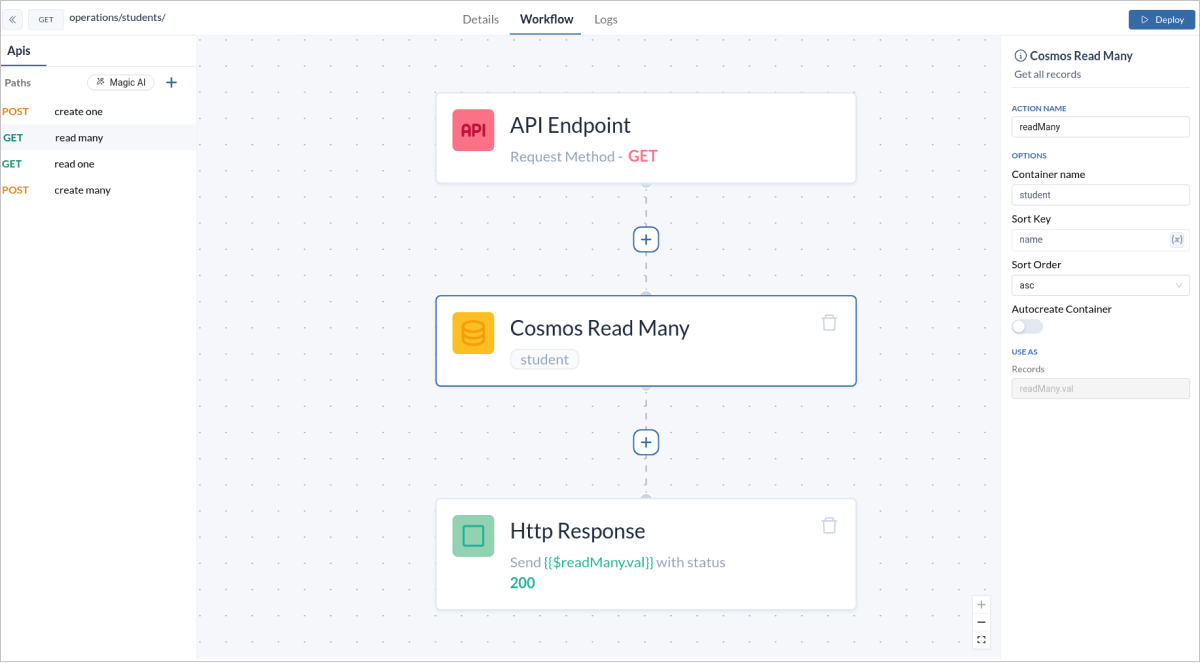
TheReadMany operation lets you fetch multiple documents that match a given criteria. This is beneficial for retrieving a set of records based on certain conditions.
API URL
-
Add a ReadMany block to your workflow. Set the
Sort Keyfield to name, which corresponds to the data key in the schema, and choose eitherascordescfor theSort Order, depending on how you want the data to be sorted. -
In the
Http Responseblock , set theResponse Variablefield to expression as{{$block-name.val}}.
Sample Data
Response Data
5. UpdateOne
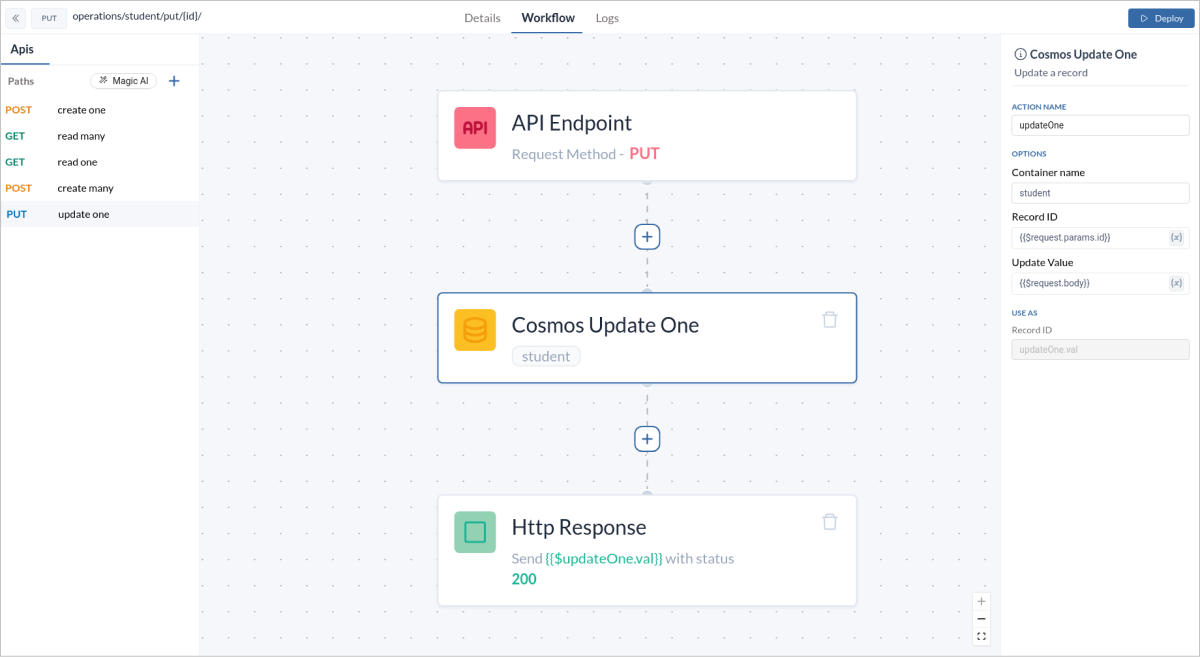
TheUpdateOne operation allows you to modify a single document. This is helpful when you need to update specific fields of a record.
- Add a UpdateOne block to your workflow. Set the
Record Idfield to{{$request.body.id}}andUpdate Valueto{{$request.body.value}}to specify the data that will be used to update the existing record. - In the
Http Responseblock , set theResponse Variablefield to expression as{{$block-name.val}}.
API URL
Sample Data
Request Data
Response Data
6. UpdateMany
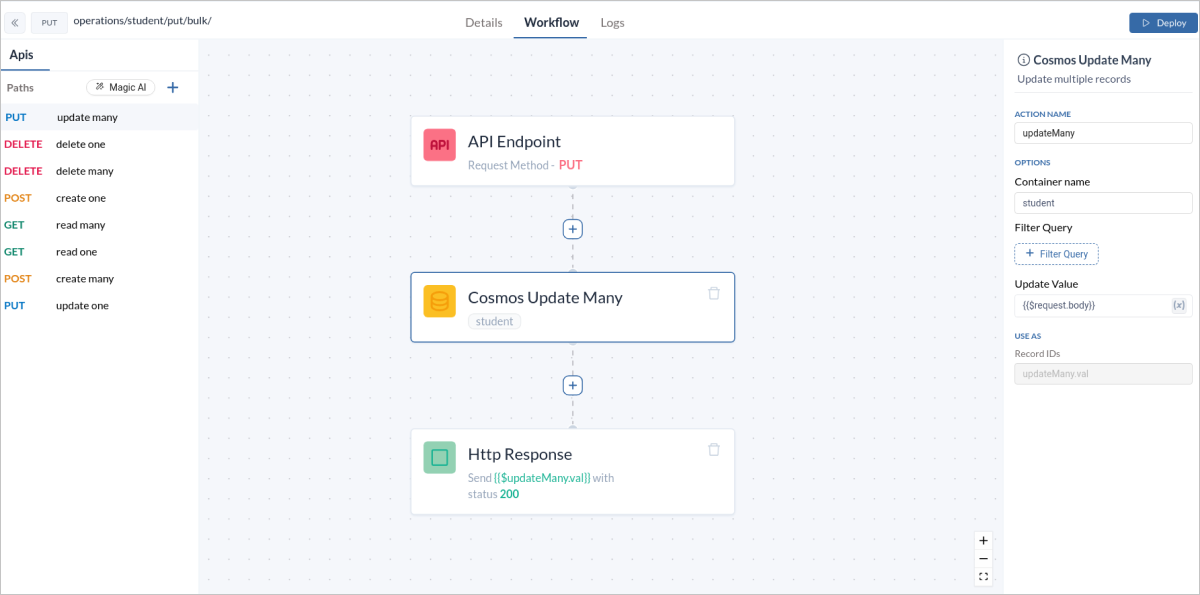
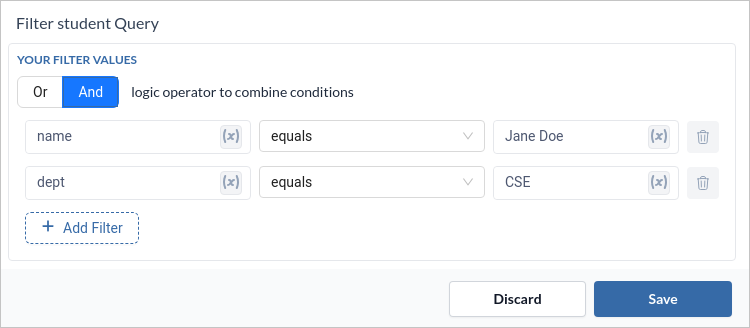
TheUpdateMany operation allows you to modify multiple documents. This is helpful when you need to update specific batch of records.
- Add a UpdateMany block to your workflow. Set the
Filter Queryfield to your desired query according to your data retrieval andUpdate Valueto{{$request.body}}to specify the data that will be used to update the existing record. - In the
Http Responseblock , set theResponse Variablefield to expression as{{$block-name.val}}.
API URL
Sample Data
Request Body Data
Response Data
7. DeleteOne
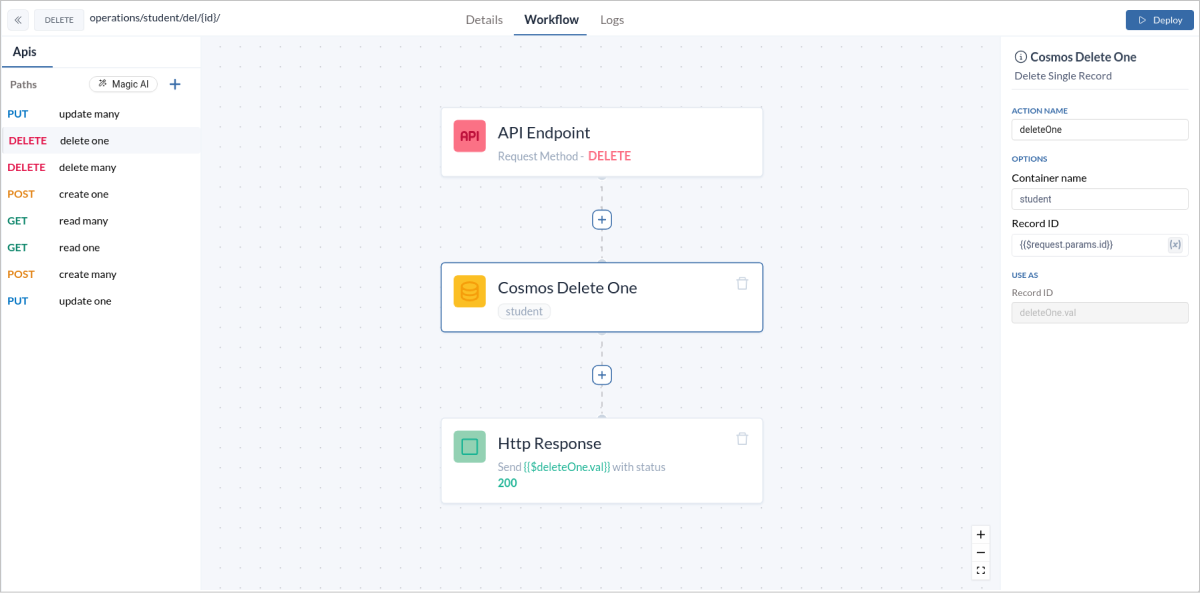
TheDeleteOne operation deletes a single document based on its unique identifier. This is useful for removing individual records such as deleting a user account.
- Add a DeleteOne block to your workflow. Set the
Record Idfield to{{$request.body.id}}so as to specify the data that will be used to create the new record. - In the
Http Responseblock , set theResponse Variablefield to expression as{{$block-name.val}}.
API URL
Sample Data
Request Data
Response Data
8. DeleteMany
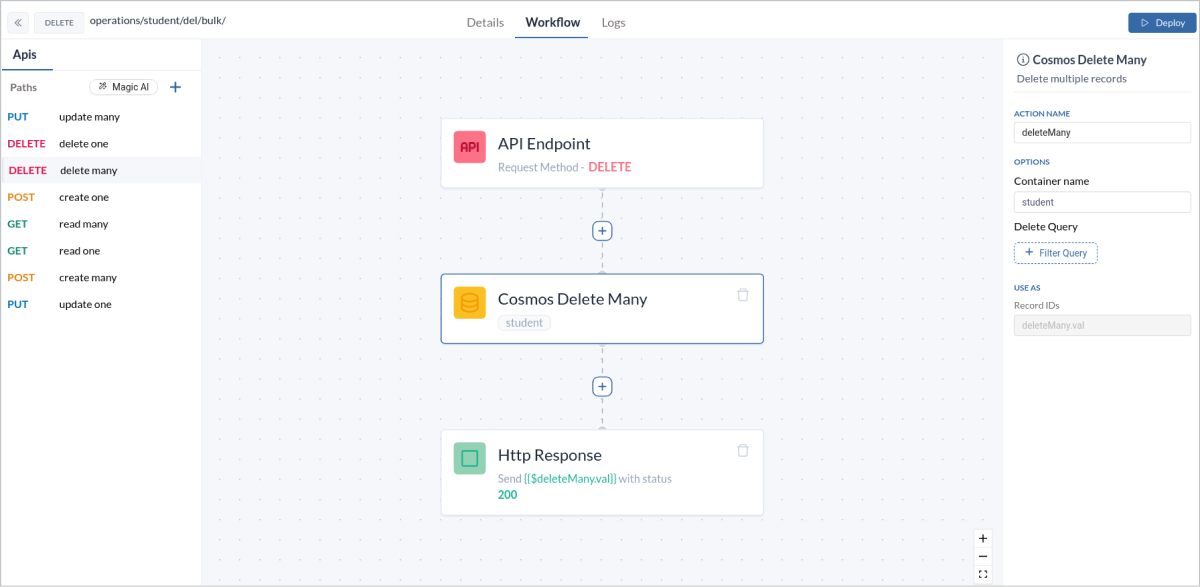
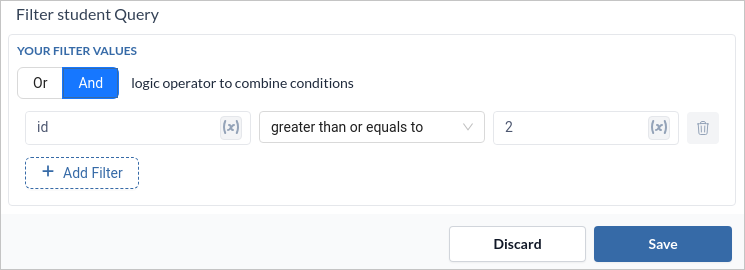
TheDeleteMany operation deletes multiple documents based on a query. This is ideal for bulk deletions such as removing all inactive accounts.
- Add a DeleteMany block to your workflow. Set the
Delete Queryfield to your desired query according to the data that will be used to delete the existing record. - In the
Http Responseblock , set theResponse Variablefield to expression as{{$block-name.val}}.
API URL
Sample Data
Request Data
Response Data
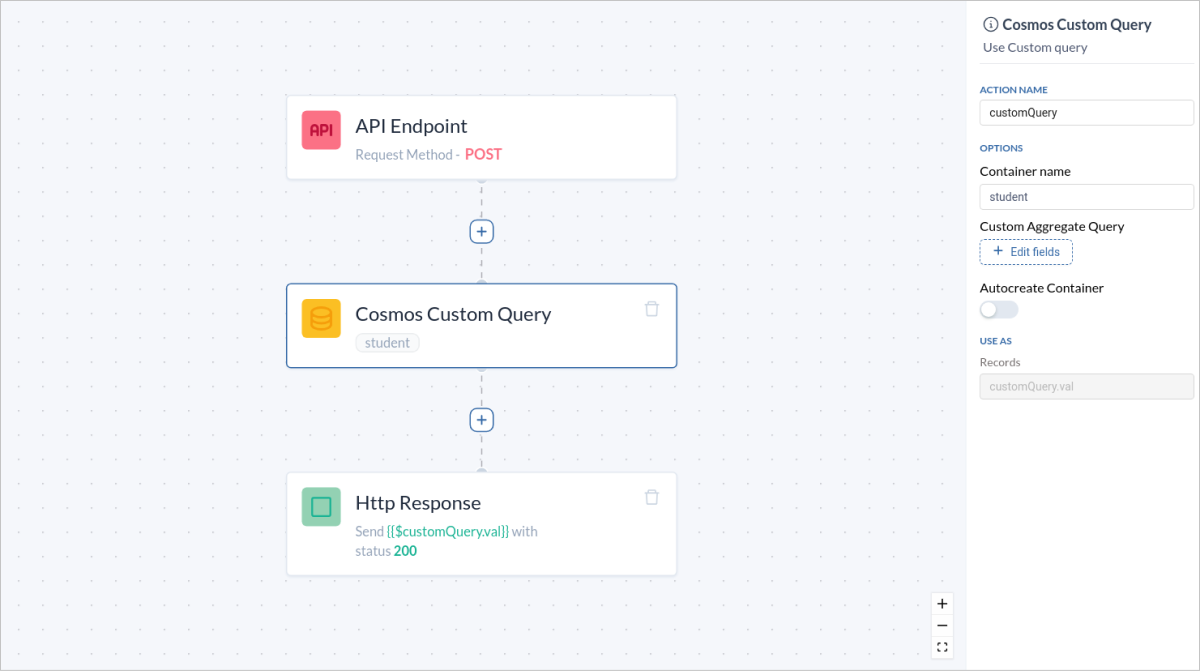
9. CustomQuery
TheCustomQuery operation allows for complex querying with custom filters. This is ideal for advanced data retrieval scenarios like filtering users by multiple criteria.
- Add a CustomQuery block to your workflow. Set the
Custom Aggregate Queryfield to your desired query according to the data that will be used to manipulate the existing record. - In the
Http Responseblock , set theResponse Variablefield to expression as{{$block-name.val}}.