> ## Documentation Index
> Fetch the complete documentation index at: https://nocode-docs.zeroagent.io/llms.txt
> Use this file to discover all available pages before exploring further.
# Quick Start with RESTful API
1. Within your Zeromagic project console, navigate to the `Rest API` section. Locate and click on the specific module where you want to create your new API. This will take you to the Api Builder page.
2. Within the builder page, access the `Restful` section in the sidebar to find the Rest API Workflow builder.
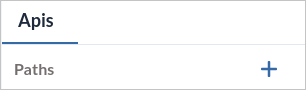
3. Click on the`+` icon to initiate the creation of your new API logic. This action will prompt a form to appear, allowing you to define the API details.
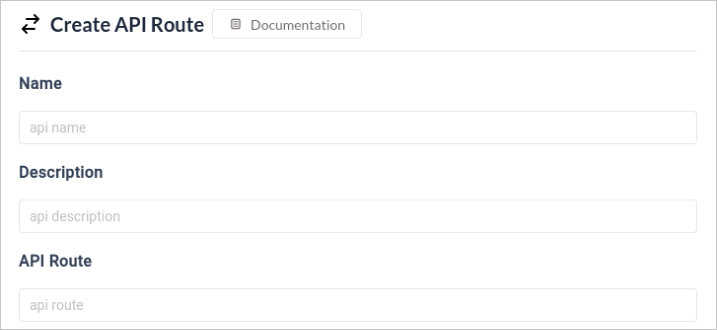
 4. Provide a suitable name, description and API Route for the API that aligns with its functionality.
 5. Choose the appropriate HTTP request method from the available options: GET, POST, PUT, or DELETE. Each method serves a specific purpose in RESTful APIs.
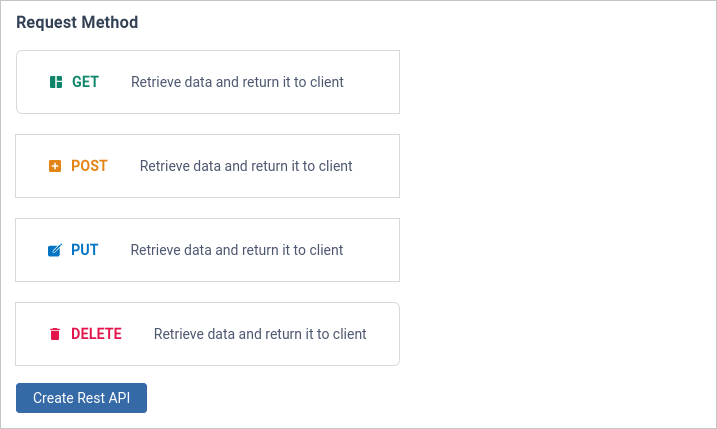 6. Click on the `Create Rest API` button to generate the new API.
7. The workflow builder will initially display two default blocks:
API Endpoint Block: This block specifies the request method, the endpoint URL for your API, and whether it's a public route (accessible to everyone) or requires authentication.
Response Block: This block defines the response value that your API will return and the corresponding HTTP response code.
# API Flow Builder
Within your Zeromagic project console, navigate to the `Rest API` section. Locate and click on the specific module where you want to create your new API. This will take you to the [Api Builder page](/restapi/flow-builder/overview).
### Quick Links
Learn more about [Flow Builder](/restapi/flow-builder/overview)
6. Click on the `Create Rest API` button to generate the new API.
7. The workflow builder will initially display two default blocks:
API Endpoint Block: This block specifies the request method, the endpoint URL for your API, and whether it's a public route (accessible to everyone) or requires authentication.
Response Block: This block defines the response value that your API will return and the corresponding HTTP response code.
# API Flow Builder
Within your Zeromagic project console, navigate to the `Rest API` section. Locate and click on the specific module where you want to create your new API. This will take you to the [Api Builder page](/restapi/flow-builder/overview).
### Quick Links
Learn more about [Flow Builder](/restapi/flow-builder/overview)