> ## Documentation Index
> Fetch the complete documentation index at: https://nocode-docs.zeroagent.io/llms.txt
> Use this file to discover all available pages before exploring further.
# Build json
The Build JSON block is used to create a structured JSON object consisting of key-value pairs. This block is essential when you need to construct JSON objects dynamically within your workflow. Each key in the JSON object can be paired with a value of any supported data type, allowing for flexible and complex data structures.
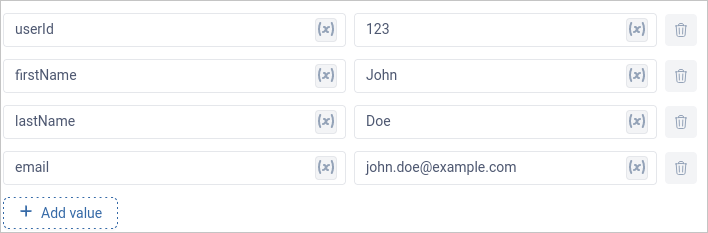 ```jsx Example JSON theme={null}
{
"userId": 123,
"firstName": "John",
"lastName": "Doe",
"email": "john.doe@example.com"
}
```
The Response block specifically requires a JSON object to function correctly. By using the Build JSON block, you ensure that your workflow outputs are properly formatted as JSON.
### Key features of the Build JSON block include
* **Dynamic Key-Value Pairing:** Easily create JSON objects with multiple key-value pairs, where the keys are strings, and the values can be any supported data type (text, number, boolean, list, time).
* **Nested JSON Objects:** Supports creating nested JSON objects, enabling you to build intricate data structures as needed.
* **Integration with Other Blocks:** You can pull in values from other blocks within the workflow, ensuring that your JSON object is dynamically constructed based on the outputs of preceding actions.
```jsx Example JSON theme={null}
{
"userId": 123,
"firstName": "John",
"lastName": "Doe",
"email": "john.doe@example.com"
}
```
The Response block specifically requires a JSON object to function correctly. By using the Build JSON block, you ensure that your workflow outputs are properly formatted as JSON.
### Key features of the Build JSON block include
* **Dynamic Key-Value Pairing:** Easily create JSON objects with multiple key-value pairs, where the keys are strings, and the values can be any supported data type (text, number, boolean, list, time).
* **Nested JSON Objects:** Supports creating nested JSON objects, enabling you to build intricate data structures as needed.
* **Integration with Other Blocks:** You can pull in values from other blocks within the workflow, ensuring that your JSON object is dynamically constructed based on the outputs of preceding actions.