> ## Documentation Index
> Fetch the complete documentation index at: https://nocode-docs.zeroagent.io/llms.txt
> Use this file to discover all available pages before exploring further.
# Magic AI - GraphQL Schema Builder
The Magic AI Schema Builder is an advanced tool designed to help you track and manage all fields in all tables within a specific database. It automatically identifies fields, lists tables with the relevant fields, and allows you to list all unlisted tables with a single click.
## How it works?
The AI Schema Builder analyses your database to identify and track all fields in all tables
After identifying the fields, it lists all tables with the relevant fields needed for your database operations
With one click, all unlisted tables can be automatically listed, including each field, ensuring comprehensive database management
The tool provides an intuitive interface that simplifies database schema management, even for users with limited technical expertise
## How to use?
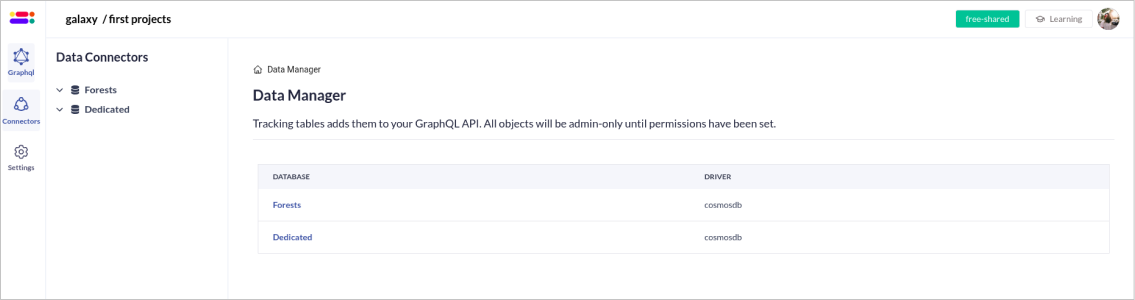
1. Navigate to Data Connectors page. Select the `Database` you want to work on.
 2. Click the `AI Schema Builder` button located in the top right corner of the page
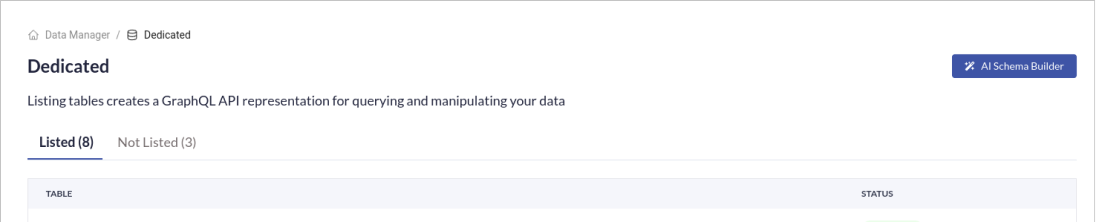 3. The AI Schema Builder will start analysing all `Unlisted tables` in your database. Once the scan is complete, the AI Schema Builder will identify and list all relevant fields for each `Unlisted table`.
4. The AI Schema Builder will automatically generate `Logical Models` for all identified Unlisted tables.
5. The AI Schema Builder will generate the `Schema` for the unlisted tables and display them along with their relevant fields.
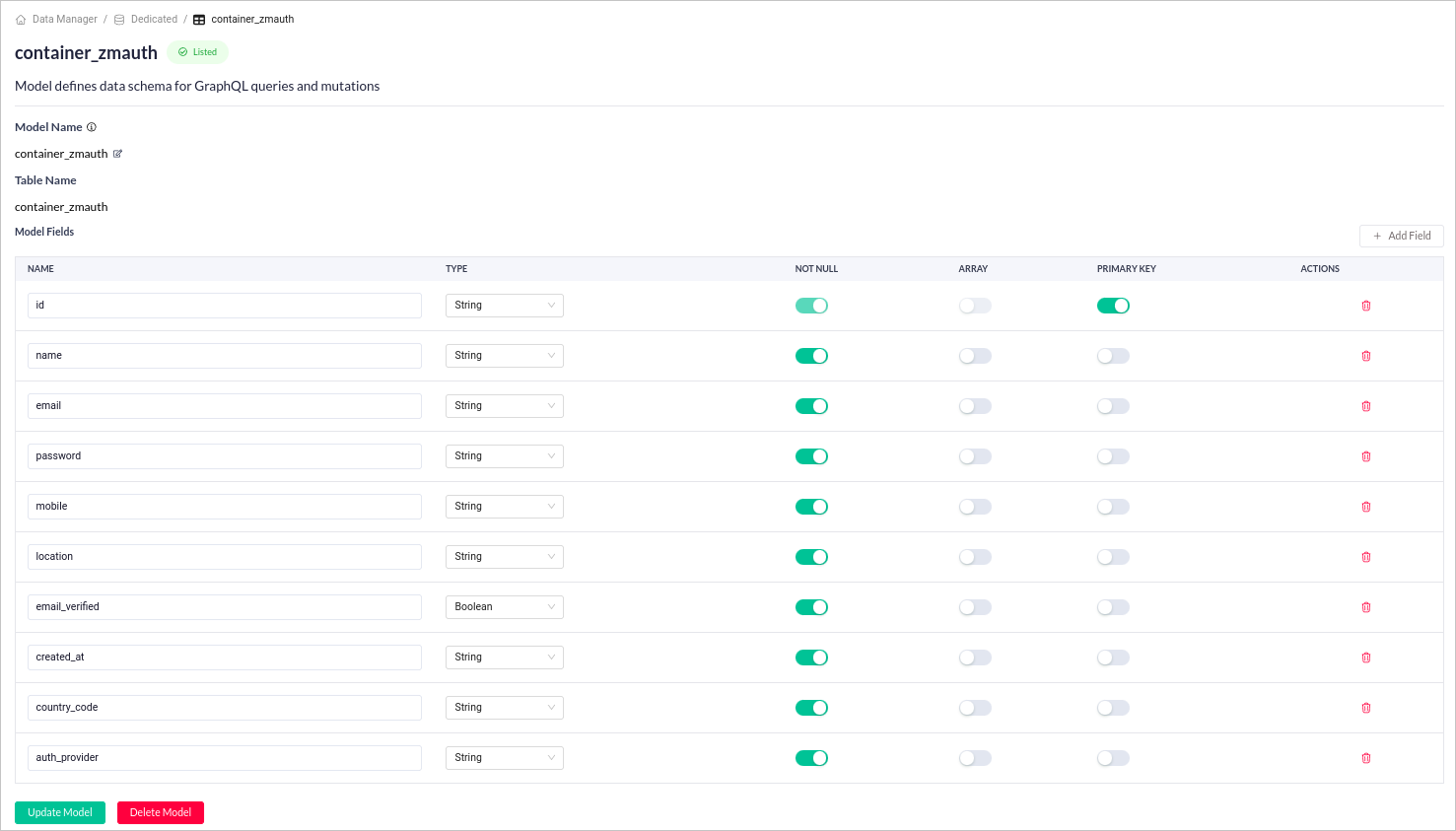
6. Once generated, you can edit the corresponding fields by clicking the specific table.
3. The AI Schema Builder will start analysing all `Unlisted tables` in your database. Once the scan is complete, the AI Schema Builder will identify and list all relevant fields for each `Unlisted table`.
4. The AI Schema Builder will automatically generate `Logical Models` for all identified Unlisted tables.
5. The AI Schema Builder will generate the `Schema` for the unlisted tables and display them along with their relevant fields.
6. Once generated, you can edit the corresponding fields by clicking the specific table.
 The Magic AI Schema Builder may not always perfectly understand the relationships between your data.
It is crucial to review its recommendations and adjust them based on your specific needs.
## Benefits
* **Save Time**: Automating field detection and table selection significantly reduces the manual effort required for schema creation.
* **Increase Efficiency**: Streamline your workflow by automating a significant portion of the schema creation process.
* **Simplicity**: Simplifies database schema management with an easy-to-use interface and automated processes.
## FAQs
Yes, the Magic AI Schema Builder is designed to handle complex database schemas with multiple tables and fields.
The Magic AI Schema Builder may not always perfectly understand the relationships between your data.
It is crucial to review its recommendations and adjust them based on your specific needs.
## Benefits
* **Save Time**: Automating field detection and table selection significantly reduces the manual effort required for schema creation.
* **Increase Efficiency**: Streamline your workflow by automating a significant portion of the schema creation process.
* **Simplicity**: Simplifies database schema management with an easy-to-use interface and automated processes.
## FAQs
Yes, the Magic AI Schema Builder is designed to handle complex database schemas with multiple tables and fields.