> ## Documentation Index
> Fetch the complete documentation index at: https://nocode-docs.zeroagent.io/llms.txt
> Use this file to discover all available pages before exploring further.
# Development
> Learn how to preview changes locally
**Prerequisite** You should have installed Node.js (version 18.10.0 or
higher).
Step 1. Install Mintlify on your OS:
```bash npm theme={null}
npm i -g mintlify
```
```bash yarn theme={null}
yarn global add mintlify
```
Step 2. Go to the docs are located (where you can find `mint.json`) and run the following command:
```bash theme={null}
mintlify dev
```
The documentation website is now available at `http://localhost:3000`.
### Custom Ports
Mintlify uses port 3000 by default. You can use the `--port` flag to customize the port Mintlify runs on. For example, use this command to run in port 3333:
```bash theme={null}
mintlify dev --port 3333
```
You will see an error like this if you try to run Mintlify in a port that's already taken:
```md theme={null}
Error: listen EADDRINUSE: address already in use :::3000
```
## Mintlify Versions
Each CLI is linked to a specific version of Mintlify. Please update the CLI if your local website looks different than production.
```bash npm theme={null}
npm i -g mintlify@latest
```
```bash yarn theme={null}
yarn global upgrade mintlify
```
## Deployment
Unlimited editors available under the [Startup
Plan](https://mintlify.com/pricing)
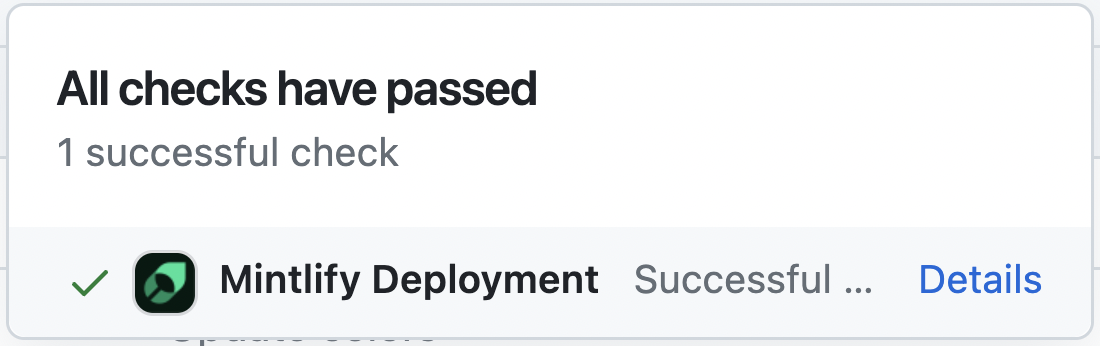
You should see the following if the deploy successfully went through:
 ## Troubleshooting
Here's how to solve some common problems when working with the CLI.
Update to Node v18. Run `mintlify install` and try again.
Go to the `C:/Users/Username/.mintlify/` directory and remove the `mint`
folder. Then Open the Git Bash in this location and run `git clone
https://github.com/mintlify/mint.git`.
Repeat step 3.
Try navigating to the root of your device and delete the \~/.mintlify folder.
Then run `mintlify dev` again.
Curious about what changed in a CLI version? [Check out the CLI changelog.](/changelog/command-line)
## Setup your development
Learn how to update your docs locally and and deploy them to the public.
### Edit and preview
During the onboarding process, we created a repository on your Github with
your docs content. You can find this repository on our
[dashboard](https://dashboard.mintlify.com). To clone the repository
locally, follow these
[instructions](https://docs.github.com/en/repositories/creating-and-managing-repositories/cloning-a-repository)
in your terminal.
Previewing helps you make sure your changes look as intended. We built a
command line interface to render these changes locally. 1. Install the
[Mintlify CLI](https://www.npmjs.com/package/mintlify) to preview the
documentation changes locally with this command: `npm i -g mintlify`
2\. Run the following command at the root of your documentation (where
`mint.json` is): `mintlify dev`
### Deploy your changes
Our Github app automatically deploys your changes to your docs site, so you
don't need to manage deployments yourself. You can find the link to install on
your [dashboard](https://dashboard.mintlify.com). Once the bot has been
successfully installed, there should be a check mark next to the commit hash
of the repo.
[Commit and push your changes to
Git](https://docs.github.com/en/get-started/using-git/pushing-commits-to-a-remote-repository#about-git-push)
for your changes to update in your docs site. If you push and don't see that
the Github app successfully deployed your changes, you can also manually
update your docs through our [dashboard](https://dashboard.mintlify.com).
## Update your docs
Add content directly in your files with MDX syntax and React components. You can use any of our components, or even build your own.
Add flair to your docs with personalized branding.
Implement your OpenAPI spec and enable API user interaction.
Draw insights from user interactions with your documentation.
Keep your docs on your own website's subdomain.
## Troubleshooting
Here's how to solve some common problems when working with the CLI.
Update to Node v18. Run `mintlify install` and try again.
Go to the `C:/Users/Username/.mintlify/` directory and remove the `mint`
folder. Then Open the Git Bash in this location and run `git clone
https://github.com/mintlify/mint.git`.
Repeat step 3.
Try navigating to the root of your device and delete the \~/.mintlify folder.
Then run `mintlify dev` again.
Curious about what changed in a CLI version? [Check out the CLI changelog.](/changelog/command-line)
## Setup your development
Learn how to update your docs locally and and deploy them to the public.
### Edit and preview
During the onboarding process, we created a repository on your Github with
your docs content. You can find this repository on our
[dashboard](https://dashboard.mintlify.com). To clone the repository
locally, follow these
[instructions](https://docs.github.com/en/repositories/creating-and-managing-repositories/cloning-a-repository)
in your terminal.
Previewing helps you make sure your changes look as intended. We built a
command line interface to render these changes locally. 1. Install the
[Mintlify CLI](https://www.npmjs.com/package/mintlify) to preview the
documentation changes locally with this command: `npm i -g mintlify`
2\. Run the following command at the root of your documentation (where
`mint.json` is): `mintlify dev`
### Deploy your changes
Our Github app automatically deploys your changes to your docs site, so you
don't need to manage deployments yourself. You can find the link to install on
your [dashboard](https://dashboard.mintlify.com). Once the bot has been
successfully installed, there should be a check mark next to the commit hash
of the repo.
[Commit and push your changes to
Git](https://docs.github.com/en/get-started/using-git/pushing-commits-to-a-remote-repository#about-git-push)
for your changes to update in your docs site. If you push and don't see that
the Github app successfully deployed your changes, you can also manually
update your docs through our [dashboard](https://dashboard.mintlify.com).
## Update your docs
Add content directly in your files with MDX syntax and React components. You can use any of our components, or even build your own.
Add flair to your docs with personalized branding.
Implement your OpenAPI spec and enable API user interaction.
Draw insights from user interactions with your documentation.
Keep your docs on your own website's subdomain.