> ## Documentation Index
> Fetch the complete documentation index at: https://nocode-docs.zeroagent.io/llms.txt
> Use this file to discover all available pages before exploring further.
# Project
In Zeromagic, every project is like a separate backend system that you can build and manage on its own. You have the flexibility to manage, build, and scale each project individually, ensuring that it aligns perfectly with your operational needs. This modular approach allows for seamless integration, efficient management, and effortless scalability, empowering you to create robust solutions with ease.
## Create Project
To create a new project, head to the **Projects** section and click `Add Project`. Enter your project *"name"* select your *"plan type"* and click on `Create Project`.
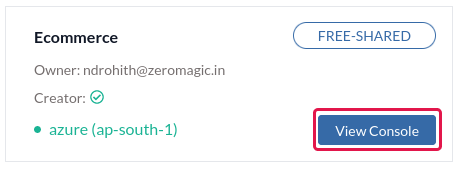
 After creating your project in Zeromagic platform, click on the `View Console` button to open the Project Console in your browser. Now, start creating your microservices.
 ## Manage Your Project
Navigate to `Settings` in project sidebar where you can edit your project details. By clicking on `Delete` you can delete your project permanently.
Deleting a project will permanently remove all the APIs, secrets, and environments associated with it. This action cannot be undone.
## Manage Your Project
Navigate to `Settings` in project sidebar where you can edit your project details. By clicking on `Delete` you can delete your project permanently.
Deleting a project will permanently remove all the APIs, secrets, and environments associated with it. This action cannot be undone.